


Messages - SMS Text Messaging
4.210.00 Reviews
App Specs
- Version
- 1.0.10
- Updated On
- License
- Free
- Downloads
- 50,000+
- Developer
- CoreSuite Apps
- Categories
- Communication
- Platform
- Android
Screenshots
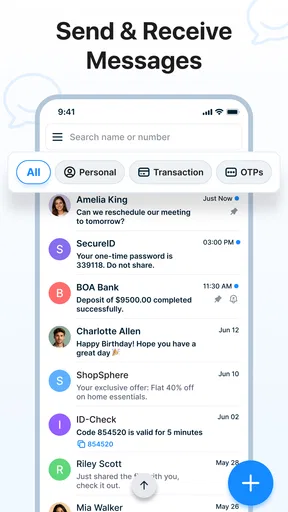
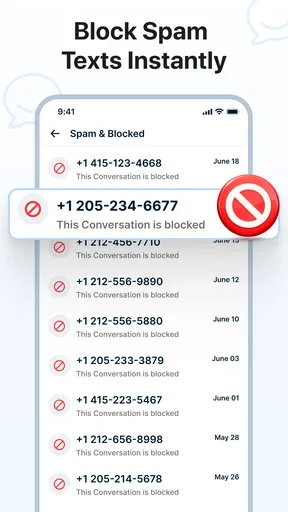
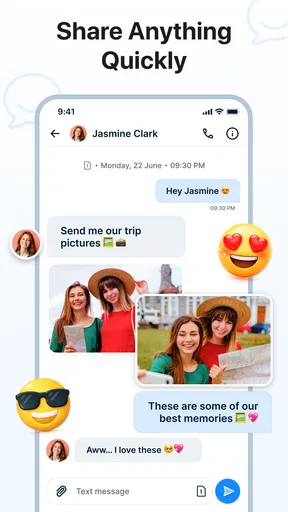
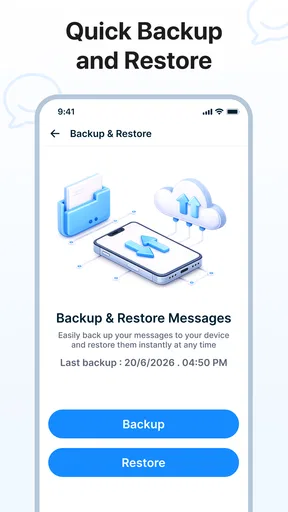
 Analysis by AppCompare
When I first opened Messages - SMS Text Messaging, I approached it as a replacement for the ordinary texting app rather than as another social platform. That distinction matters. This is a communication app from CoreSuite Apps, built around SMS conversations, with extra attention given to backup, spam blocking, and private chats. It is free, aimed at everyone, and its simple store label—“Messages”—sets a fairly clear expectation: this is meant to help you handle everyday texts without making messaging feel like a project.
My first impression was that its appeal comes from combining familiar texting with a few practical controls that are often scattered across separate tools. You can use it for quick one-to-one messages, routine family updates, appointment reminders, delivery coordination, or conversations where you would rather keep your inbox more orderly. I would not approach it expecting a full internet messenger with channels, public profiles, or a large social network around it. Its strongest case is more focused: it gives regular SMS users a cleaner place to manage conversations while adding useful protection and recovery options.
Getting comfortable with the app from the first launch
Before I settle into the everyday texting routine, I’d use the first launch to decide what I want the app to handle and what I’d rather leave to my phone’s existing setup. That distinction helps me avoid granting trust by habit: I look for the choices the app actually presents and consider them one at a time. From there, the next step is learning which controls are available and what each one changes.
What to expect before sending anything
The app is listed under Communication, and that is exactly how I would frame it. It is not trying to replace every messaging service on a phone. Instead, it sits close to the traditional texting experience, which makes the learning curve relatively gentle for someone who already understands conversations, contacts, and message threads. The important change is the added layer of organization. Backup can matter when changing phones, spam blocking can reduce distractions, and private chats suggest a more deliberate way to handle sensitive conversations.
That combination makes it especially interesting for people who find the default messaging application too bare but do not want a complicated chat platform. I can see it working well for a parent who wants a straightforward inbox, a user who receives too many unwanted texts, or someone who wants a clearer routine for protecting important conversations. It also suits people who prefer SMS because they regularly communicate with contacts who do not use the same internet-based messaging service.
There is a trade-off, though. SMS still depends on the normal limitations of text messaging. The app can improve how you manage messages, but it does not automatically turn every conversation into a modern internet chat. If your daily communication depends on large group communities, rich collaboration, voice rooms, or a consistent encrypted experience across many devices, a dedicated internet messenger may fit you better. I see this app as a practical SMS-centered tool, not a universal replacement for every communication service.
The listing shows an average rating of 4.1 from 246 ratings, with more than 50K installs. Those figures suggest that the app has found an audience, while also reminding me that it is still a more focused choice than the most familiar messaging brands. It is free, so trying it does not require a purchase decision. The age classification is Everyone, which makes its plain, approachable design a sensible match for a broad range of users.
Worth Reading Before You Choose

EA SPORTS FC Mobile 26 Is a Bigger Football Game, but It Takes Time

Flipboard Shows What News Apps Must Do Beyond the Feed

Switching to Android Auto Means Rethinking Your Driving Routine

Google Calendar Makes a Crowded Week Easier to Manage

Ludo King Makes the Most of the Minutes Between Plans

Baby Panda World Brings Quick Play to Modern Phones, but Its Game Library Feels Busy
Setting up a useful starting point
My advice is to begin with one goal instead of trying to explore every option immediately. If spam is your main reason for installing it, start by looking for the blocking controls and understanding how unwanted messages are handled. If your concern is changing phones or losing conversations, begin with the backup area. If privacy is your priority, inspect the private-chat option before moving important conversations into it. This approach makes the first session feel purposeful rather than overwhelming.
The app runs on Android 7.0 and later, which gives it a broad compatibility range for Android users who are not carrying a recent phone. After installation, I would give myself a moment to identify the main conversation screen, the action for starting a new text, and the route to settings. The fastest way to feel at home is not to customize everything; it is to send one ordinary message and then return to see how the thread is presented.
One useful habit is to treat backup as a routine rather than an emergency button. If you install the app because you are preparing to move to another phone, do not wait until the last minute to investigate the backup workflow. Check where the control is, understand what it is intended to preserve, and make a small personal note of the step you would repeat later. That is a less glamorous feature than sending a text, but it can be the difference between a calm phone change and a frustrating search for old conversations.
I would also take a careful look at spam handling before relying on it completely. Blocking tools are most useful when you know how to review what has been filtered and how to recover a legitimate message if necessary. A message from an unfamiliar number is not always junk: it could be a courier, a school, a clinic, or a service provider. My practical recommendation is to check the blocked or filtered area during the first few days, especially if you use SMS for important appointments or deliveries.
Your first meaningful success
A reassuring first test is to send a short message to someone you already know, such as “Testing my new messaging app—please reply when you see this.” That simple exchange confirms that you can open a conversation, compose a text, recognize an incoming reply, and return to the thread without hunting through menus. It also gives you a real conversation to use when exploring organization and privacy controls.
For a realistic everyday example, imagine that you are waiting for a family member at a busy station. You send a quick location or meeting-point message, receive a reply, and later want to find that exchange again. The value here is not flashy functionality. It is the reduced friction of keeping the conversation visible, locating it later, and deciding whether it belongs in a more private area. When an app handles this ordinary moment cleanly, it earns its place on my phone.
After that first exchange, I would test the workflow that matters most to you. For spam protection, identify how you would block a suspicious sender. For backup, locate the backup action without actually experimenting on irreplaceable conversations. For private chats, use a low-risk conversation first so you can understand how access and visibility work. These small tests are more useful than reading every setting because they reveal whether the app matches your habits.
One non-obvious advantage of this staged approach is that it separates communication problems from configuration problems. If a message does not appear as expected, you know whether the issue is related to the conversation itself or to a filter, privacy setting, or backup expectation. I prefer this over changing several options at once, because a simple messaging app should remain easy to troubleshoot.
Where first-time users may hesitate
The word “private” deserves careful attention. A private-chat feature can make a conversation less exposed inside the app, but I would not automatically interpret that as a guarantee that every part of SMS communication has the same protection as a purpose-built encrypted messenger. Before using it for highly sensitive information, I would read the in-app explanation and consider who controls the other end of the conversation. For routine personal details, it may be a helpful layer; for genuinely confidential work or financial discussions, I would choose a service designed specifically for that level of security.
Backup can create a similar misunderstanding. A backup option is valuable, but it is not the same as having every message instantly synchronized across all devices. When moving between phones, I would follow the app’s own process and verify that the conversations I care about are available afterward. I would also avoid deleting the old copy until I have checked the new device. That simple precaution is worthwhile with any messaging application.
Spam blocking can also feel slightly too aggressive or too passive depending on your contact list and communication patterns. Someone who receives lots of unsolicited texts may appreciate a quieter inbox immediately. Someone who frequently deals with new numbers may need to review filtered messages more often. The right balance depends on your life, so I would not enable a strict approach and then forget about it. Treat the filter as an assistant that needs occasional supervision.
Another point of friction is the difference between what the app controls and what your phone or mobile network controls. A messaging application can organize its own conversations and provide its own tools, but SMS delivery, charges, signal conditions, and carrier behavior remain part of the wider texting system. If a message is delayed or fails, do not assume the app alone is responsible. Check the basics first: the recipient’s number, network availability, and whether the conversation is using the expected type of message.
How it compares with familiar alternatives
The default messaging app already handles the essentials for many people, and switching is not automatically an improvement. If your current application is reliable, easy to search, and already gives you the spam controls and backup routine you need, Messages - SMS Text Messaging may feel like a side-grade. Its reason to exist is strongest when those extra concerns are currently inconvenient or missing.
Compared with internet-first messengers, this app has a different advantage and a different limitation. It is useful when you need to reach people through ordinary texting rather than persuade everyone to install the same service. That makes it practical for family members, local businesses, and contacts who use different phones or platforms. On the other hand, internet messengers often provide richer media handling, larger group experiences, and more seamless multi-device conversations. I would keep one of those alternatives if my communication depends on those areas.
Compared with a privacy-focused messenger, the important question is not which app sounds safer, but what kind of conversation you actually have. For everyday coordination, the private-chat option may be a welcome way to keep selected discussions apart from the main inbox. For confidential communication where end-to-end protection is central, I would choose the specialist service and use this app for ordinary SMS. That is not a criticism; it is a sensible division of responsibilities.
Against a feature-heavy messaging suite, the focused design can be an advantage. There are fewer reasons to spend time learning a whole social ecosystem when all you want is to send texts, reduce unwanted messages, and keep a recovery option nearby. The downside is that users looking for built-in communities, extensive media tools, or broad collaboration features may find the experience limited. I would decide based on the messages I actually send, not on the number of features an app can advertise.
Small routines that make the app more useful
Once the first test is complete, I would build three habits around the app. First, review important conversations after major phone changes rather than assuming backup worked perfectly. Second, inspect filtered messages periodically, particularly if unknown numbers are part of your work or family life. Third, reserve private chats for conversations that genuinely benefit from extra separation instead of placing everything behind an additional layer. These habits keep the useful features from becoming sources of confusion.
A second practical tip is to use the app as a focused inbox. When a conversation is no longer active, avoid leaving it mentally “open” just because it remains visible. Search for the thread when you need it, and use the app’s organization and privacy tools according to the sensitivity of the content. This is especially helpful for people whose SMS inbox mixes delivery alerts, family messages, appointment reminders, and occasional spam.
I also recommend testing recovery before you need it. Choose a conversation that is not critical, learn how the backup process is presented, and make sure you understand what action you would take before resetting or replacing a phone. This is one of the more valuable advanced workflows in the app because it turns backup from a vague promise into something you can approach with confidence.
For households, the app may be useful when different people have different tolerance for clutter. One person can focus on blocking unwanted senders, while another may care more about keeping selected chats private. I would still avoid treating it as a family-wide security solution without checking each person’s settings and phone habits. The app can support better routines, but good communication hygiene remains a shared responsibility.
Who should install it, and who should skip it
I would recommend it to someone who wants a free SMS application with more attention to inbox control than the most basic default tool. It is a good candidate for a first-time user who wants to start with ordinary texting, then gradually explore backup, spam blocking, and private conversations. Its broad age classification and support for Android 7.0 and later also make it accessible to people using older compatible devices.
I would be more cautious about recommending it to someone who rarely uses SMS, already has a dependable messaging app with excellent filtering and recovery, or needs advanced internet-chat features every day. I would also steer highly privacy-sensitive conversations toward a specialist service rather than assuming that a private-chat label answers every security question. The app is most convincing when its focused set of tools matches a real problem you have.
In my experience, the best way to judge it is to give it one ordinary week rather than making a decision after the first screen. Send normal texts, check whether the conversation layout feels natural, review how unwanted messages are handled, and learn the backup path while your old messaging setup is still available. That trial gives you evidence based on your own contacts and routines, which is more useful than comparing feature lists.
My recommendation after using it
Messages - SMS Text Messaging is a sensible communication app for people who want ordinary texting with a little more structure around it. CoreSuite Apps has kept the central purpose clear, while adding tools that address three real annoyances: losing conversations, receiving unwanted texts, and wanting selected chats to feel less exposed. The experience is not aimed at replacing every messenger, and I think it is better when judged on that narrower mission.
The current release is version 1.0.10, and I would approach it as a focused tool that deserves a practical test rather than blind loyalty. Start with one known contact, confirm the basic send-and-reply flow, then explore the feature that matters most to you. Keep an eye on filtered messages, treat backup as something to verify, and read the explanation around private chats before trusting them with sensitive material.
My bottom line is simple: choose this app when you want SMS to feel more manageable, not when you need a complete social or encrypted communication platform. For a first-time user, that makes the path forward fairly clear. Install it, send one harmless test message, learn one protective feature, and only then move your everyday conversations across. If those steps make your inbox calmer and easier to recover, it has earned a place on your phone; if you need richer online messaging or stronger specialist privacy guarantees, your usual alternative will probably serve you better.
Pros
- Simple interface makes sending and reading texts quick.
- Supports group conversations for keeping multiple contacts together.
- Conversation history is easy to browse and manage.
- Useful notifications help you notice new messages promptly.
- Works well for basic SMS communication without extra complexity.
Cons
- Features may vary depending on your carrier and Android device.
- SMS and MMS charges can apply under some mobile plans.
- Limited features compared with modern internet messaging apps.
- Spam messages may still reach your inbox without strong filtering.
- Some advanced options may require additional permissions or settings.
FAQs for Messages - SMS Text Messaging
What is Messages - SMS Text Messaging, and what can I use it for?
Messages - SMS Text Messaging is a mobile communication app designed for sending and receiving traditional SMS and, depending on your carrier and device, multimedia messages such as photos, videos, and group texts. After installation, it can generally be used as the default messaging app, allowing you to organize conversations, reply to contacts, and manage message notifications from one central inbox.
Does Messages - SMS Text Messaging require an internet connection?
Traditional SMS messages usually do not require Wi-Fi or mobile data because they are sent through your cellular network. However, an active mobile plan, sufficient signal, and carrier support are normally required, and standard messaging charges may apply. Features involving multimedia content, online backups, advertisements, or enhanced messaging may require mobile data or a Wi-Fi connection.
Can I use this app to send pictures, videos, and group messages?
The app may support multimedia messages and group conversations, but the exact features depend on your smartphone, operating system, carrier, and messaging plan. Sending photos or videos through MMS can use mobile data and may result in additional charges or file-size restrictions. Before sending large attachments, check your carrier’s terms and confirm that MMS is enabled.
Is Messages - SMS Text Messaging safe and private to use?
The app’s privacy level depends on how it handles permissions, advertising, analytics, and message storage. SMS itself is not generally end-to-end encrypted, so it should not be treated like a secure private messenger for sensitive information. Before installing, review the permissions requested, privacy policy, and developer information, and avoid sharing passwords, financial details, or confidential documents through regular SMS.
Can I make Messages - SMS Text Messaging my default app and recover my conversations?
On compatible devices, you can usually select Messages - SMS Text Messaging as the default application for sending and receiving SMS. Your existing conversations may remain available if they are stored locally on the phone, but transferring or restoring them depends on your device, backup service, and the app’s import options. Create a backup before switching apps or resetting your phone.


